
Skin controls. From mask to export.
VanityFilter gives you separate controls for the treatment and mask, then shows exactly where the effect lands. VanityFilter runs on Windows and Apple Silicon Macs. The screenshots below show the Windows interface in 3.1.5; the new 3.2 controls are described first. To watch it in motion, go to See it work.
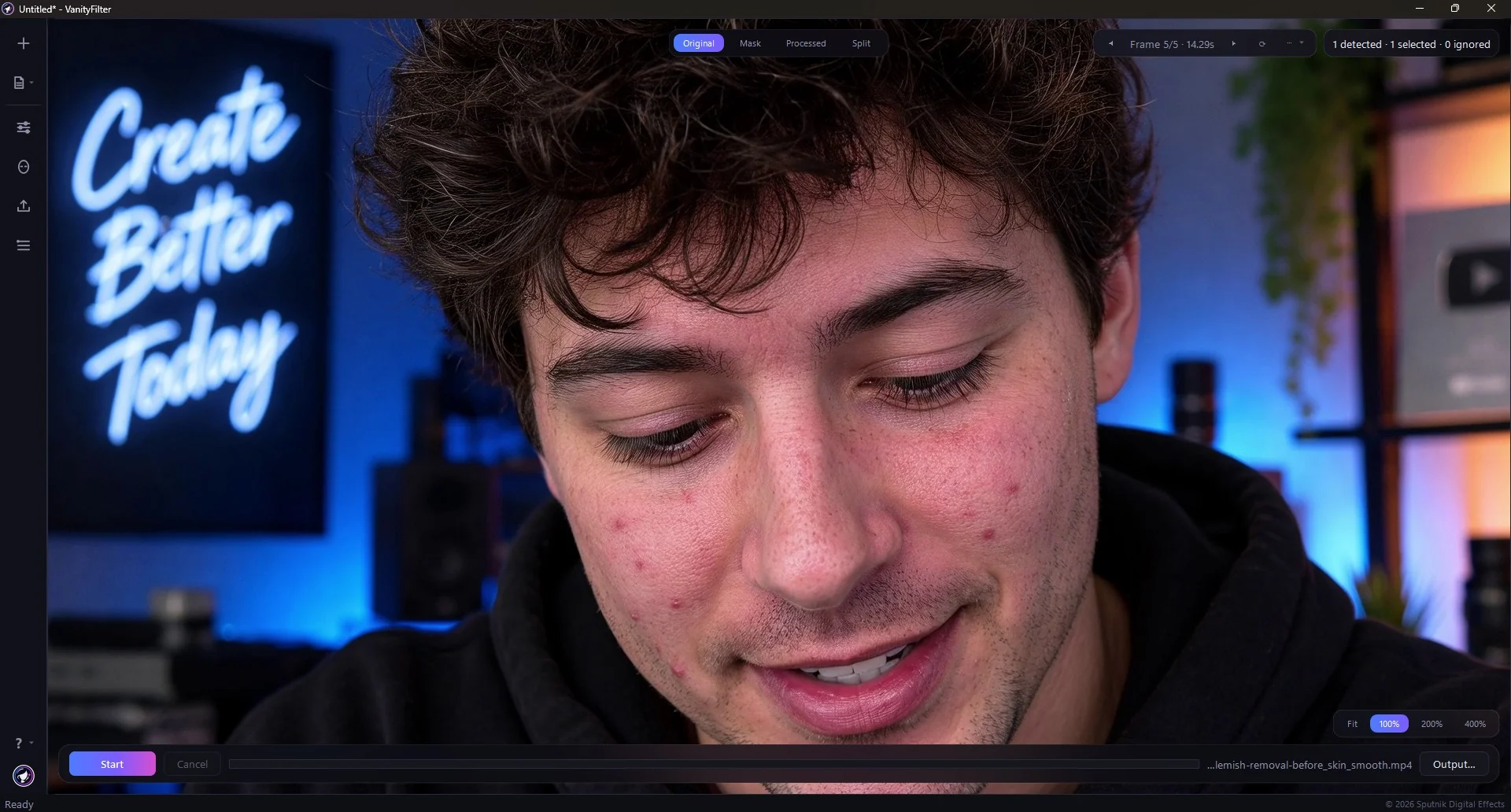
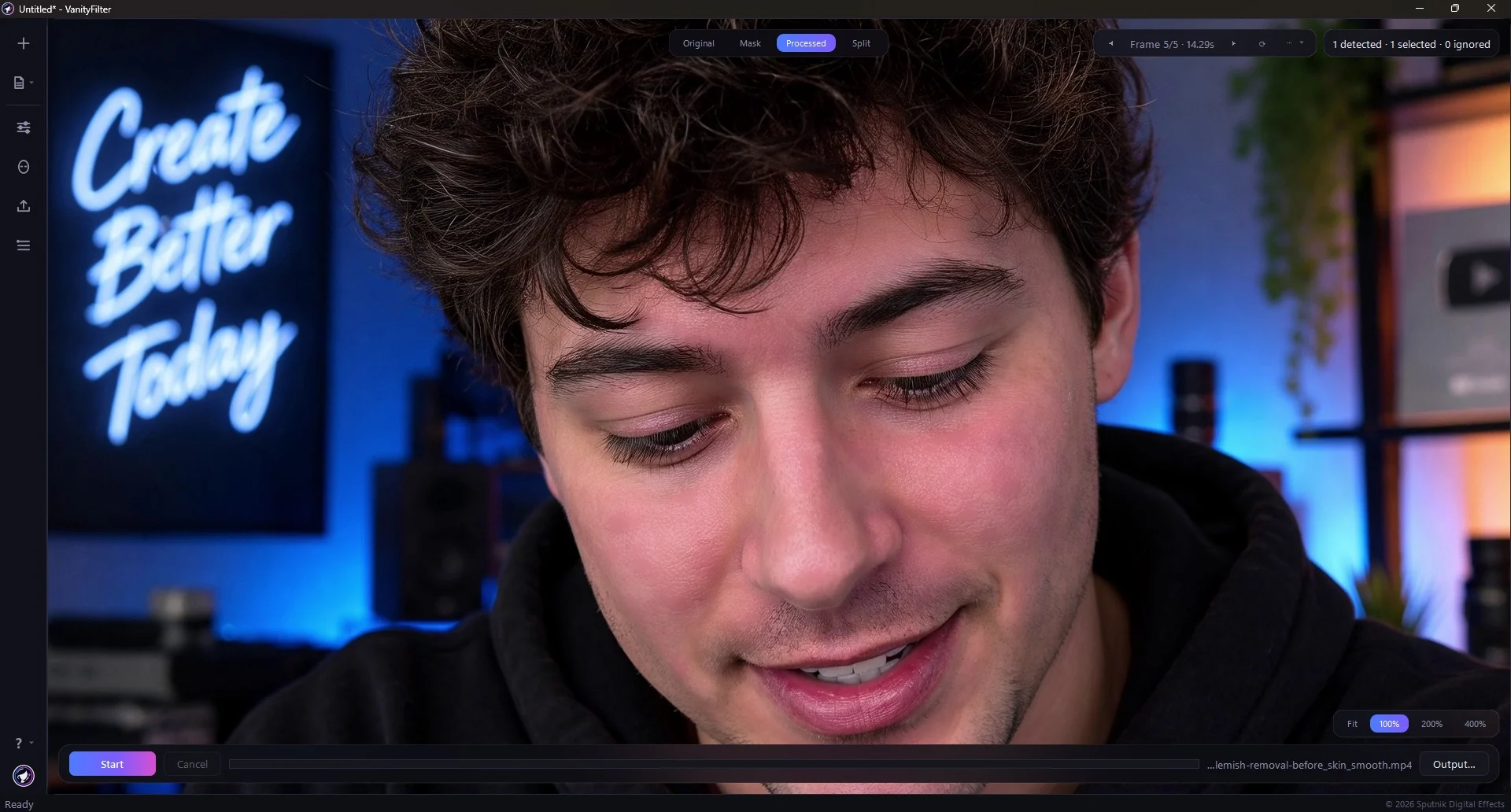
- 5faces tracked per frame
- 4preview views to check the mask
- 2export codecs: H.264 and ProRes
- 0videos uploaded
New in 3.2
- Windows and macOS. One license covers two active computers across Windows and Apple Silicon Macs. Mac requires macOS 14 Sonoma or later; Intel Macs are not supported.
- Fine Line Eraser (prototype). A separate control for fine lines, with Preserve natural creases to keep natural folds.
- Protect lower nose. An optional guard for the lower nose in the skin mask.
- Hardware tab in Settings. Check detected graphics hardware, H.264 encoder support and export activity. Skin processing still runs on the CPU.
- Projects and presets. .vain projects and .vfpreset presets have their own file icons. Open them from Explorer on Windows or Finder on Mac.
Read the full 3.2 release notes, including activation and safer file handling.
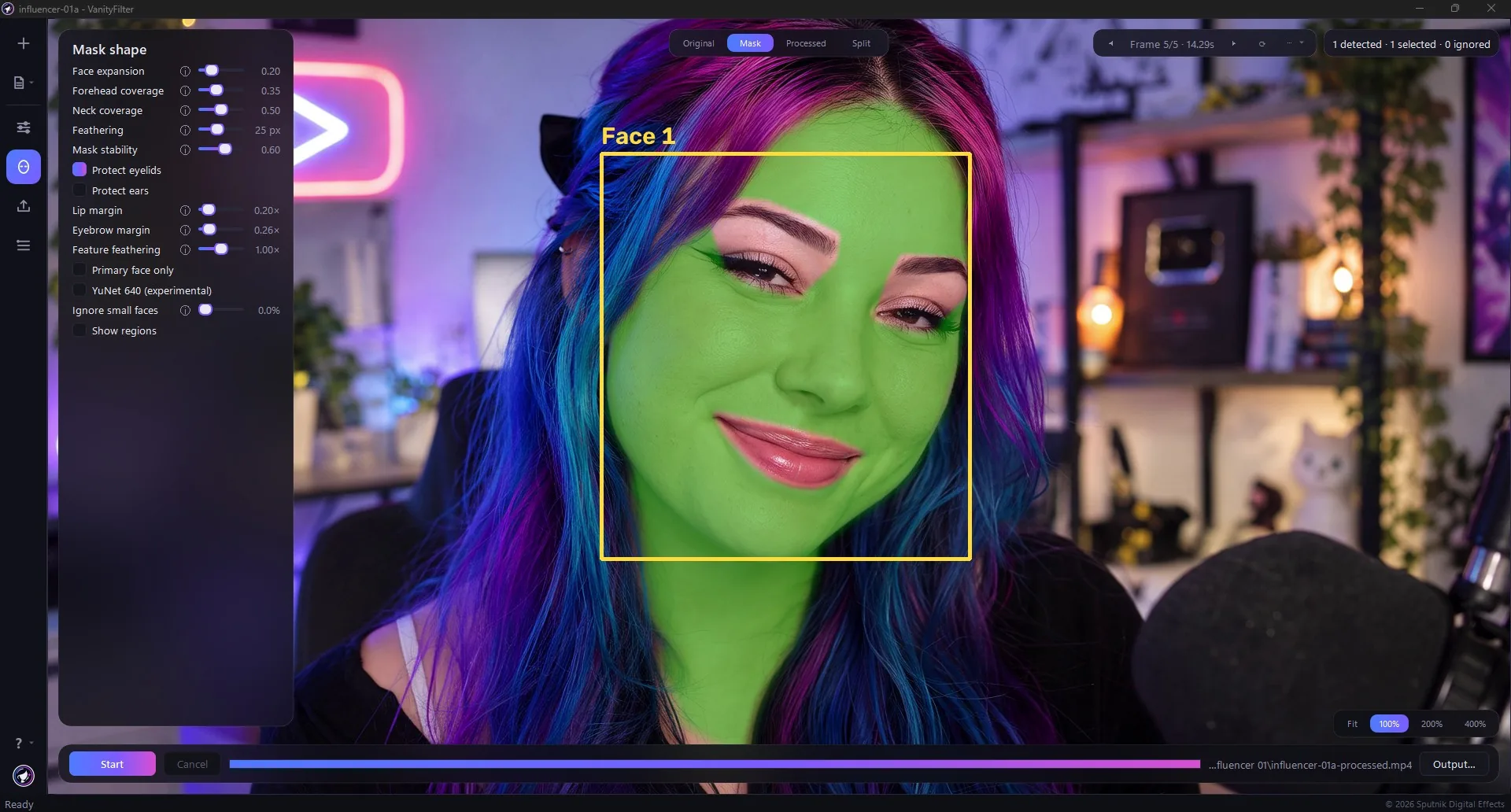
The mask stops where skin stops.
The mask is the product. VanityFilter builds one mask for each detected face. The mask keeps the treatment on skin while eyes, brows, lips, hair, caps, collars, clothing, and the background remain outside it. Each face gets its own sampled skin color and protected feature zones.
Treat the right faces
Detect up to five faces in one frame, including turned heads and some profiles. Primary face only treats the largest, most central face. Ignore small faces skips faces below a chosen fraction of the frame height, so crowds and passers-by stay untouched. Face controls choose faces by size and position only, so they can't pick a specific person. One settings set applies to every selected face; for two looks, export the clip twice.
Shape where it lands
Face expansion grows or shrinks the mask around the face outline. Forehead coverage extends it toward the hairline and Neck coverage takes it below the jaw. Feathering softens the edge so the treatment blends into surrounding skin, and Mask stability smooths the mask across frames to reduce flicker on moving subjects.
Keep ear detail
When facial landmarks are available, the skin mask protects the ear area from treatment. Blemish repairs also stay within the mask. Check turned heads in Mask view: ear protection is limited on full profiles or when landmark tracking is lost.
Protect eyelids
Enabled by default under Mask shape, Protect eyelids extends the protected area over the upper eyelids. It applies to preview and export and is saved with presets. Turn it off to allow treatment closer to the eyes while keeping basic eye protection.
See it with Show regions
Tick Show regions and the Mask view draws the face box, forehead, and neck, and outlines the eyes, brows, and lips as protected zones. Turned or profile faces are labelled, and the detected-faces chip turns red when nothing is found.
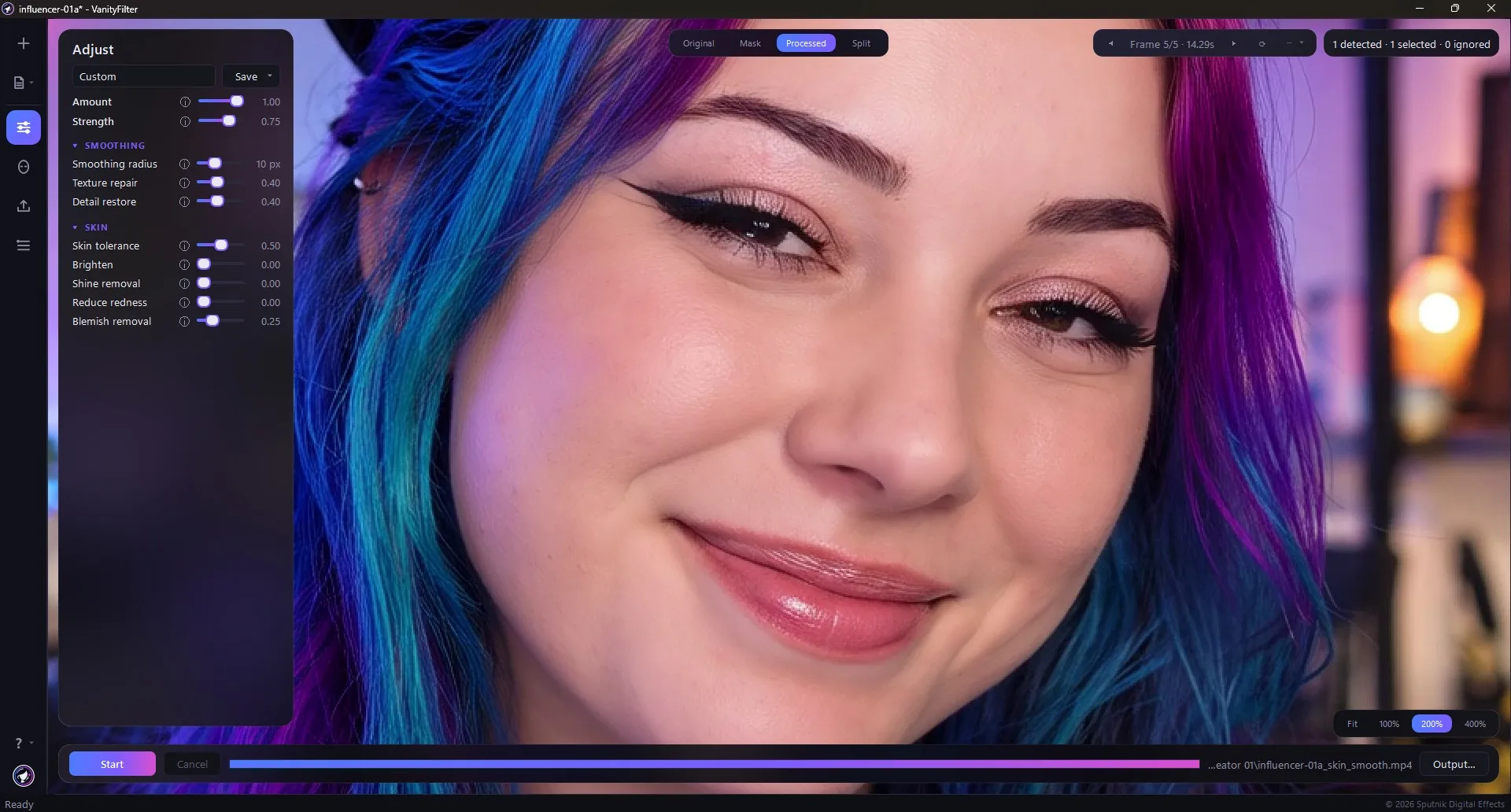
Correct the problem, not the whole face.
Separate controls handle smoothing, texture repair, brightness, shine, redness and Blemish removal. Redness reduction now targets broader flushed areas while retaining natural skin warmth. Review the preview and a short export before processing the whole clip.
Three real blemish treatments in version 3.0Remove Blemishes from Video with VanityFilter 3.0 (4:25)Amount and Strength
Strength sets how much smoothed skin is blended back over the original. Amount is the master wet/dry mix: dial in a look, then ease the whole treatment back toward the original in one move without retuning every slider.
Radius, Texture repair, Detail restore
Smoothing radius sets the size of the softening filter. Texture repair suppresses pores, blotches, and compression noise inside the mask, the stronger cleanup for rough skin. Detail restore adds fine detail back so faces stay natural rather than waxy.
Brighten, Shine removal, Reduce redness
Brighten lifts skin with a gamma curve for a healthy glow without blown highlights or color shift, and works even with smoothing off. Shine removal mattes down specular hot spots from oily skin or hard lighting while eye catchlights stay protected. Reduce redness evens out blotches and flush toward your subject's own skin tone.
Blemish removal
Blemish removal repairs small acne spots from surrounding skin before smoothing. Version 3.0 improves spot targeting and reduces inconsistent repairs between frames. It is designed to avoid isolated marks and facial hair. Check the preview: results vary with skin tone and acne type, and this pass can take substantially longer than real time, so test a short range first.
Skin tolerance
Sets the width of the accepted skin-tone range. Raise it for skin in shadow or uneven light, then confirm the coverage in Mask view.
Presets that travel
Start with five built-in presets: Light touch, Standard, Heavy, Low-light repair, and Face only. Save your own settings in four user slots, and import or export shareable .vfpreset files that also load from the command line.
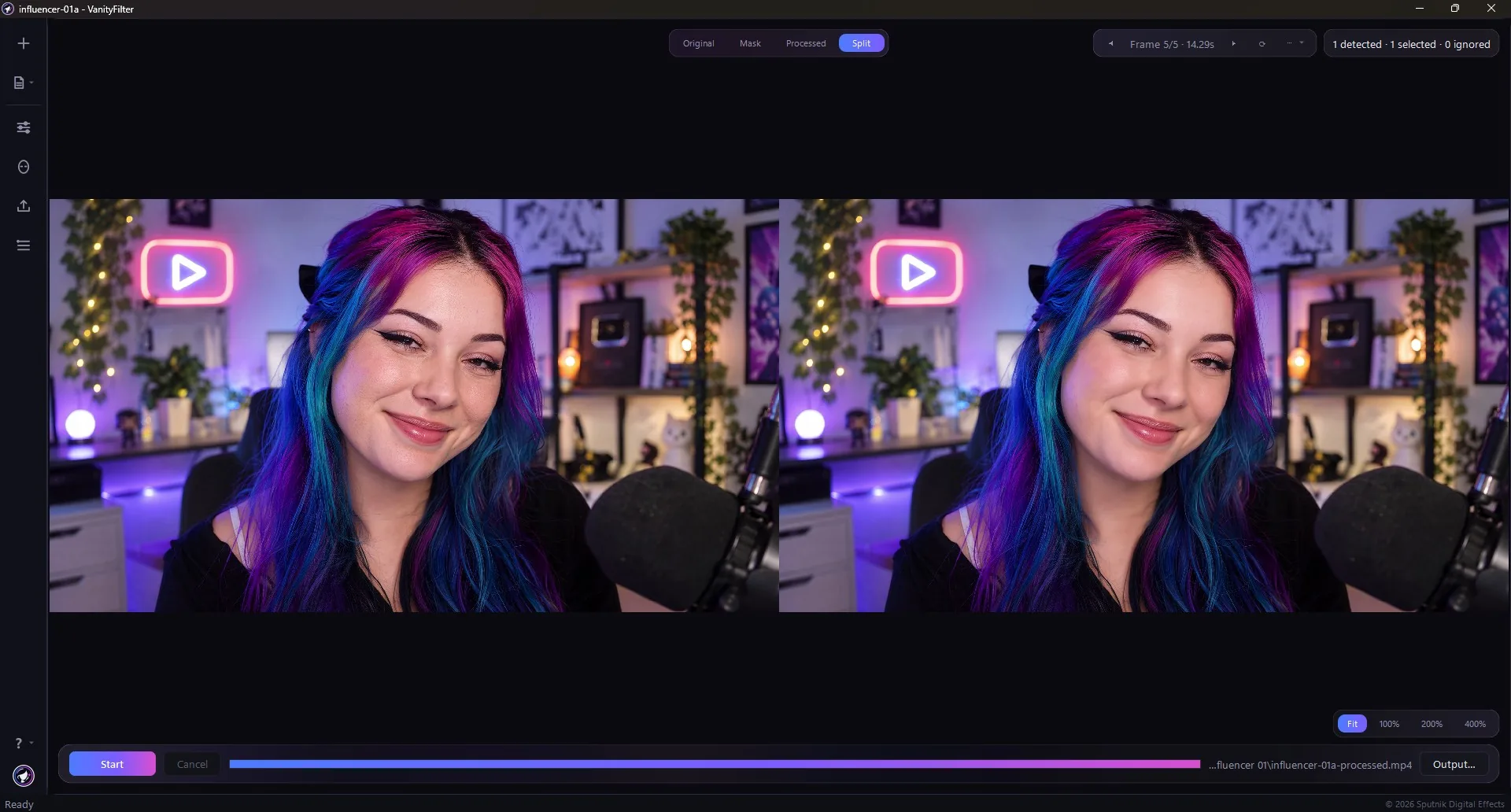
See exactly what the mask is doing.
An editor who has been burned by a beauty filter wants proof, not promises. VanityFilter samples frames across the clip and renders the computed mask directly on each one, so the boundary is right there on screen before you export.
Keep background faces out of the treatmentInterview mask walkthrough for v3.1.5 (1:50)Four views of every sampled frame
Processed is the final result. Mask paints the skin mask green with numbered face boxes, the fastest way to check coverage. Original is the untouched frame with faces still counted. Split shows original and processed together for a direct comparison.
Zoom and pan
Zoom with the mouse wheel at the cursor, drag to pan, and double-click to snap back to fit. Fit, 100%, 200%, and 400% buttons highlight the current setting at the bottom right, so you can check the actual boundary around hair, hats, glasses, clothing, and the set.
Hold Space to compare
With a preview visible, hold Space from any normal control to see the original frame. Release it to return to the processed preview. Check a change without moving the playhead, switching views, or losing your current settings.
Add the frame you care about
Step through the sampled frames with Prev and Next, or add a frame at a specific time to check the one moment that matters.
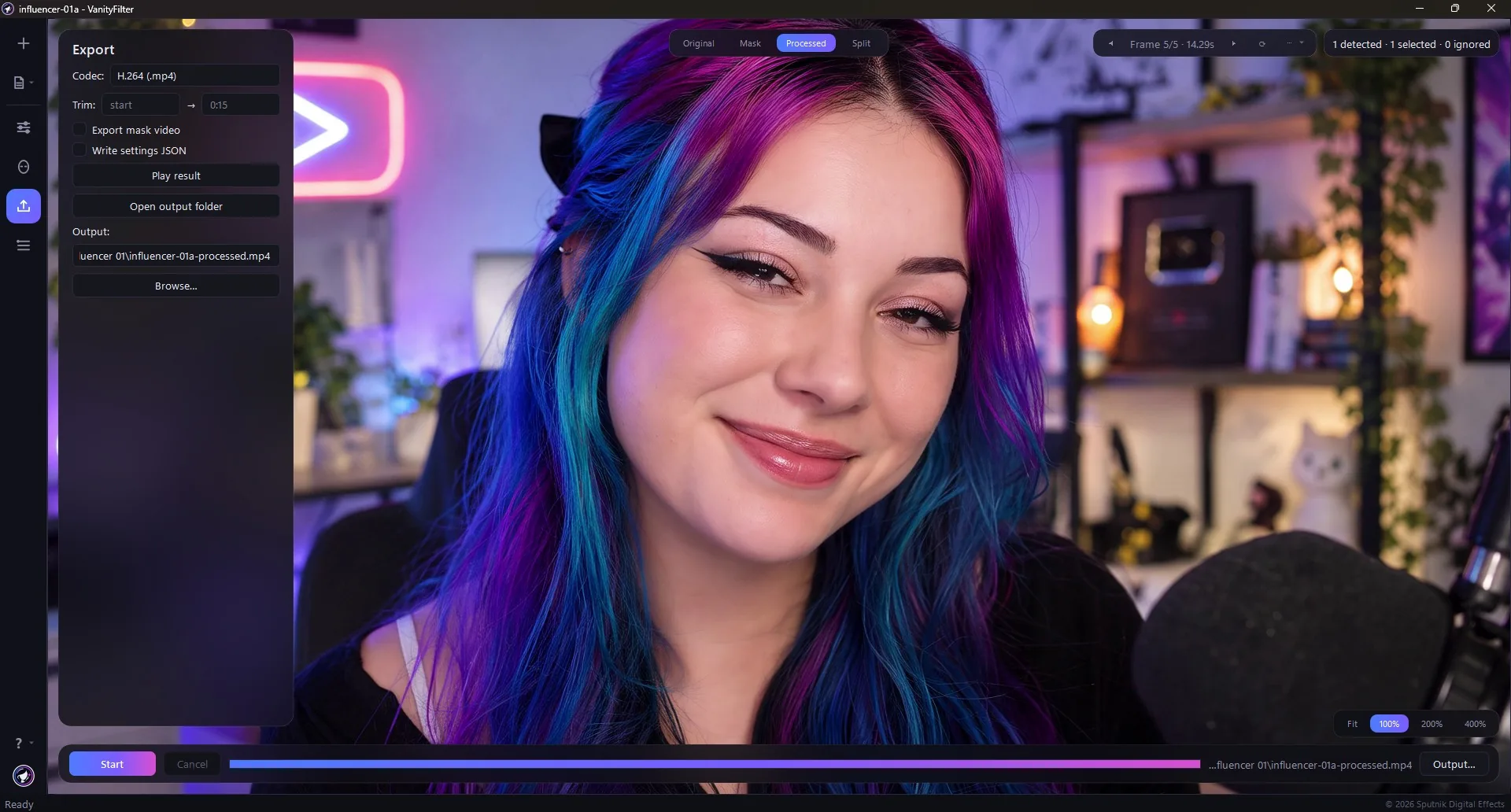
Files ready for the editor.
The preview applies the same treatment the export does, so a frame you check shows what the render does to it. The source audio is re-encoded for the output format.
A full session, start to finishShine removal, start to finish (2:06)H.264 or ProRes
Export H.264 MP4 for delivery or ProRes 422 HQ MOV for editing. On Windows, H.264 can use a supported NVIDIA GPU. On Mac, it uses Apple VideoToolbox. Skin processing runs on the CPU on both platforms.
Test a short range first
Set In and Out times in seconds or mm:ss to export part of a single clip. VanityFilter cuts the audio to the same frame-quantized range. The status bar reports processing speed and estimated time remaining.
Companion files for the timeline
Export mask video saves a grayscale matte for a luma track matte in Premiere Pro or DaVinci Resolve. Write settings JSON records how the render was made.
Keep your export preferences
VanityFilter remembers the output folder, codec, mask-video option and settings-file preference. Trim ranges are not saved. After export, play the latest result or open its folder from the Export panel.
Check timing before a long export
The app warns when it detects variable frame rate or cannot verify the source timing. Export still uses constant frame rate, so variable-rate footage can drift against its audio. Convert that source to constant frame rate before processing.
Safer output handling
Source videos and output names are checked together before a batch starts, including mask videos and settings files. Encoding uses a temporary file, so a failed or cancelled encode leaves an existing completed video intact.
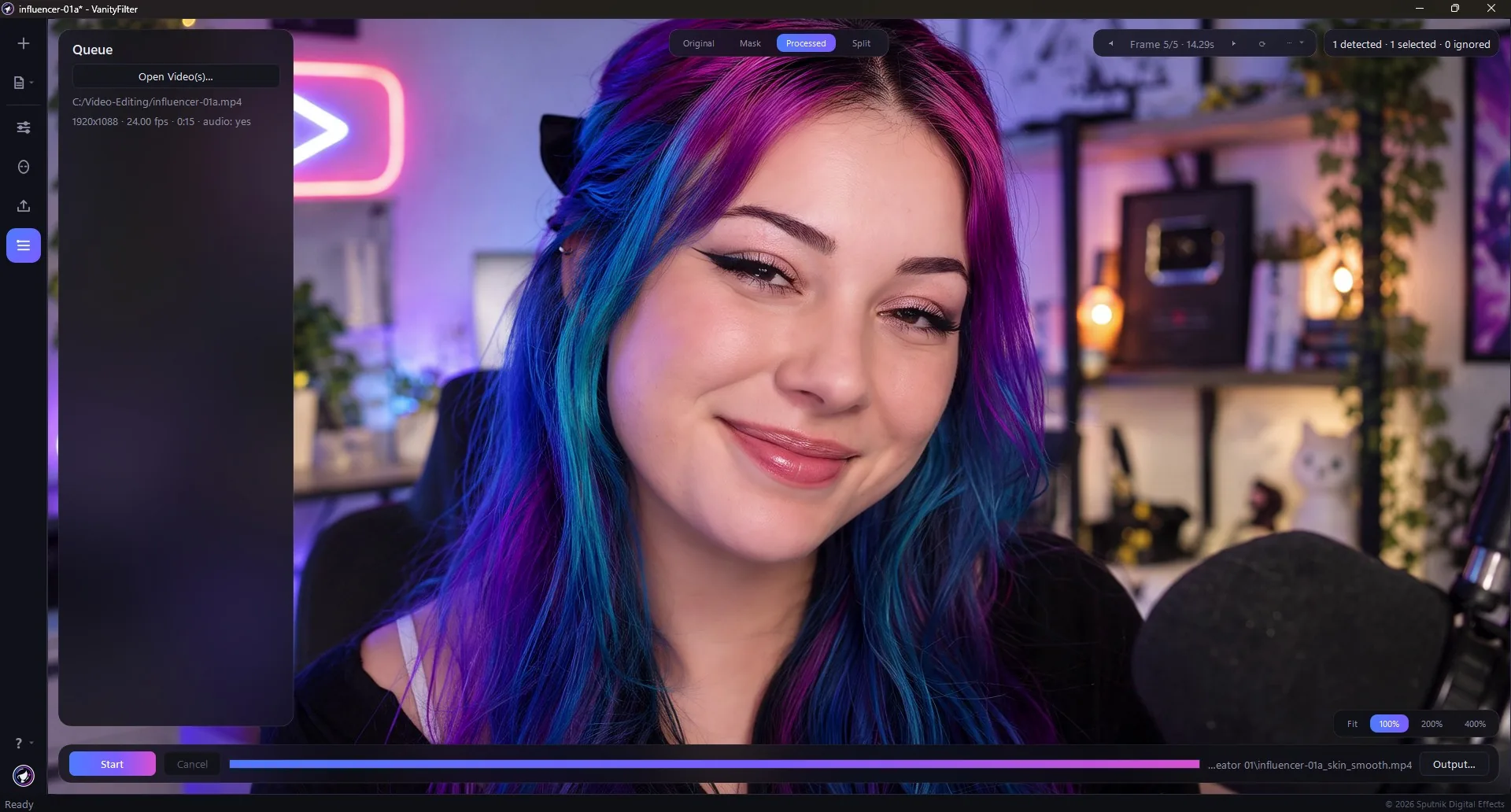
Drop in a batch.
Drag one video or a whole batch anywhere onto the window. Files process one at a time, and a failed file does not stop the rest of the queue.
See the controls on a newsroom clipNatural Skin Smoothing for News & Interview Videos (1:52)Know what you loaded
The Queue panel lists each file with its resolution, frame rate, duration, and whether it carries audio. On Mac, use MP4, MOV or M4V. Windows also accepts AVI and MKV. Check the Mac HDR and frame-rate limits before choosing your source footage.
Progress per file
Progress shows per file, and Cancel stops cleanly. Batch mode writes every result to the folder you choose.
The same controls from the command line
The same batch controls are available from the command line, and the presets you saved in the app load there too.
English or Spanish. Your video stays local.
Your footage stays on your computer
Preview, processing, and export run locally. Videos are never uploaded. Online activation and license checks exchange license and device information, never footage.
Two languages, two manuals
The interface, tooltips, and error messages are available in English or Latin American Spanish. Both PDF manuals ship with the installer.
One license, two computers
One user on two active computers shared across Windows and macOS. Activate with your license key and the code sent to your purchase email. No account or subscription. A successful check permits up to 30 days offline; after that, projects and previews remain available, but new exports need another check. Existing buyers keep their license. See the activation details.
See it on your own footage.
Watch the films, compare the license options, or install VanityFilter and open a clip in Mask view.