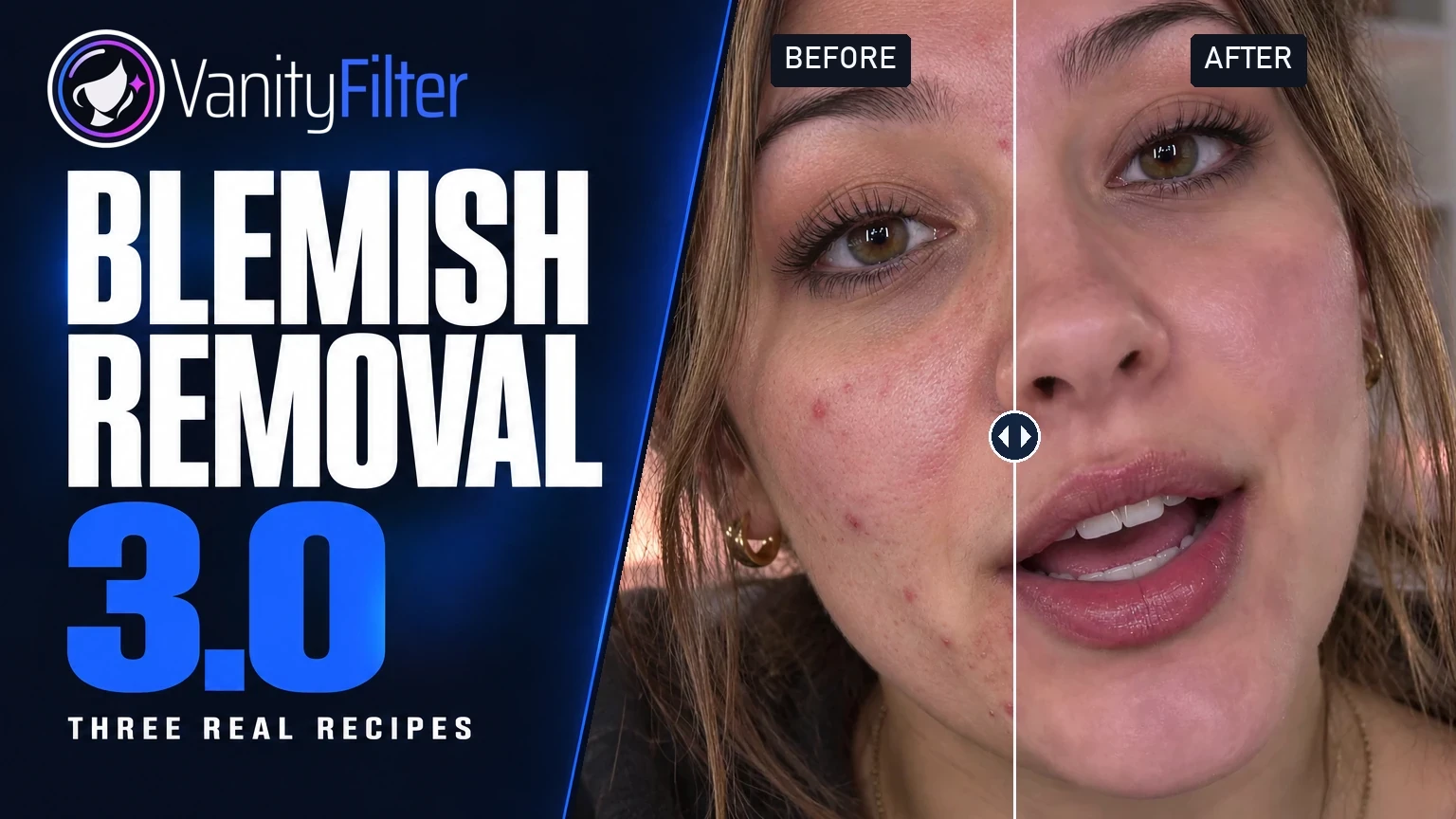
VanityFilter 3.0 is available now for Windows. This release changes how blemish repair picks its targets, widens what Reduce redness will correct, and adds an eyelid guard that is switched on from the first launch.
Available now
VanityFilter 3.0.0 is available for Windows 10 version 1809 or later and Windows 11, 64-bit. The installer is code signed, and both the English and Spanish manuals were regenerated for this version. If you already run VanityFilter, the update check under Help reports the new build and links to the download page. Your license key stays on your machine, and presets saved in earlier versions open with the new eyelid option switched on.
Blemish removal is no longer experimental
Blemish removal shipped as an experimental control in 2.7 and 2.8. It leaves that phase in 3.0, after testing rendered clips for consistency between frames.
The repair now looks for compact spots at several scales instead of treating broad shadowed regions as targets, so a shadowed area of the cheek is not treated as one large spot. Repairs that are not red are limited to clusters of small dark marks. Strong red cores are separated from the faint creases around them, and borderline candidates are weighted down gradually rather than switched on and off, which reduces abrupt repair changes between frames. A weaker fallback still catches low-contrast red spots.
Repair still runs before the smoothing pass and stays inside the skin mask at full resolution, in preview and in export, so areas the mask excludes are left alone. Results still depend on the footage, the skin, and the settings. Render a short range and watch it at normal speed before committing a long clip, especially when something passes in front of the face or the source is low quality.
Reduce redness reaches broader flush
Earlier versions evened out red blotches toward the subject's own skin tone. In 3.0 the control also handles wider flushed areas, such as a whole cheek. It finds less-red skin at a similar lightness within the same connected skin region and uses that as the reference, and the correction is bounded so overall warmth is kept. Redness reduction runs after blemish repair.
Protect eyelids
Mask shape gains a Protect eyelids checkbox, enabled by default. It guards the crease of the upper eyelid, the strip between the eye and the eyebrow, from smoothing and repair. The guard rotates with the face and is feathered, and it is applied again after the mask has been blended across frames, so a previous frame cannot bring the treatment back over the eyelid. It applies to the preview and to the export, and it is saved with presets.
Turning it off does not remove eye protection. The eyes, brows, and lips stay excluded as before; you only lose the extra band above the eye. Presets saved before 3.0 open with the option on.
Smaller changes in the interface
The preview zoom buttons at the bottom right now highlight the active size, and the highlight follows a double-click back to Fit or a mouse-wheel zoom. The name on your license moved from the status bar to About VanityFilter; expiry and time-remaining notices for demo licenses stay in the status bar. The app uses the current VanityFilter icon in Windows, in About, and in the left rail, and the company name inside the app is now Sputnik Digital Effects. The code-signing identity on the installer is unchanged, Sputnik Digital LLC.
The settings in the picture
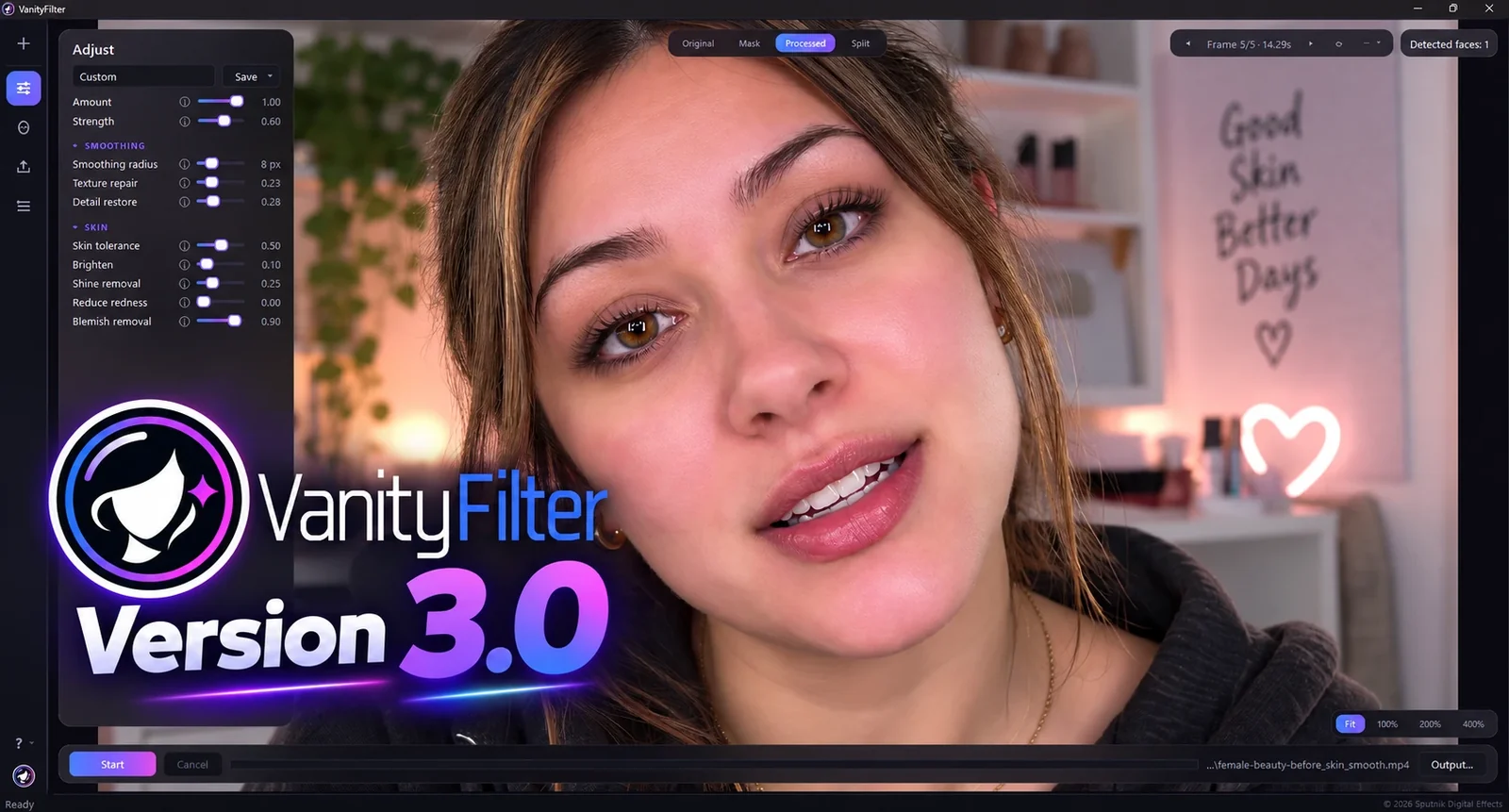
The image at the top of this article is a real 3.0 screen from a beauty creator clip. It is worth reading the panel, because it shows how the controls share the work. Blemish removal sits at 0.90 and does the spot repair. Strength at 0.60 with an 8 px radius keeps the smoothing modest, Texture repair at 0.23 and Detail restore at 0.28 balance the finish, Shine removal at 0.25 tones down the bright patches, and a small Brighten of 0.10 lifts the skin. Reduce redness is off for this clip. Amount stays at 1.00, so what you see is the full treatment.
A workflow that holds up: pick a few representative preview frames, set Blemish removal first, add only the corrections that solve something you can see, check the Mask view, export a short section, and watch it at normal speed before you save the settings as a preset.
Updating
Download VanityFilter 3.0.0 from the download page, or let the in-app update check point you there. The updated user manual covers the new Mask shape option, and the changelog lists every change in this release. If you want to see the app in motion before installing, the See it work page has the video library and a click-through tour.