
If the face you want to smooth is in a video, our pick is VanityFilter. We make it, so weigh that accordingly. It retouches skin in recorded video on your own Windows PC or Apple Silicon Mac, and you can try it with a $9.95 14-day demo license before paying $29.95 once, on sale from $49. For a photo, the free Photoshop route is Adobe’s own 7-day trial, which includes the Skin Smoothing filter. Imagenomic’s Portraiture plugin has a 15-day trial. Download both from the vendor’s own site.
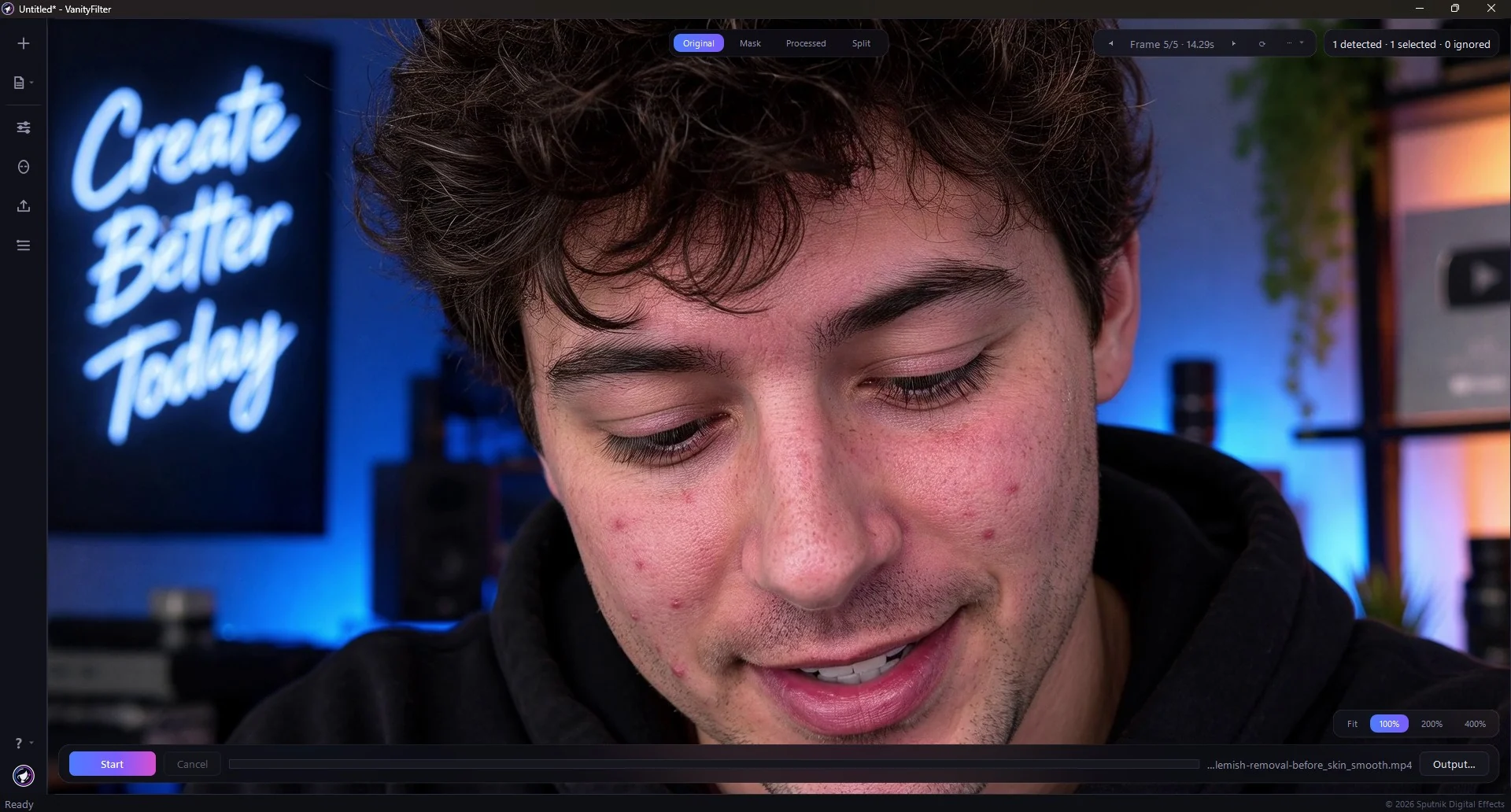
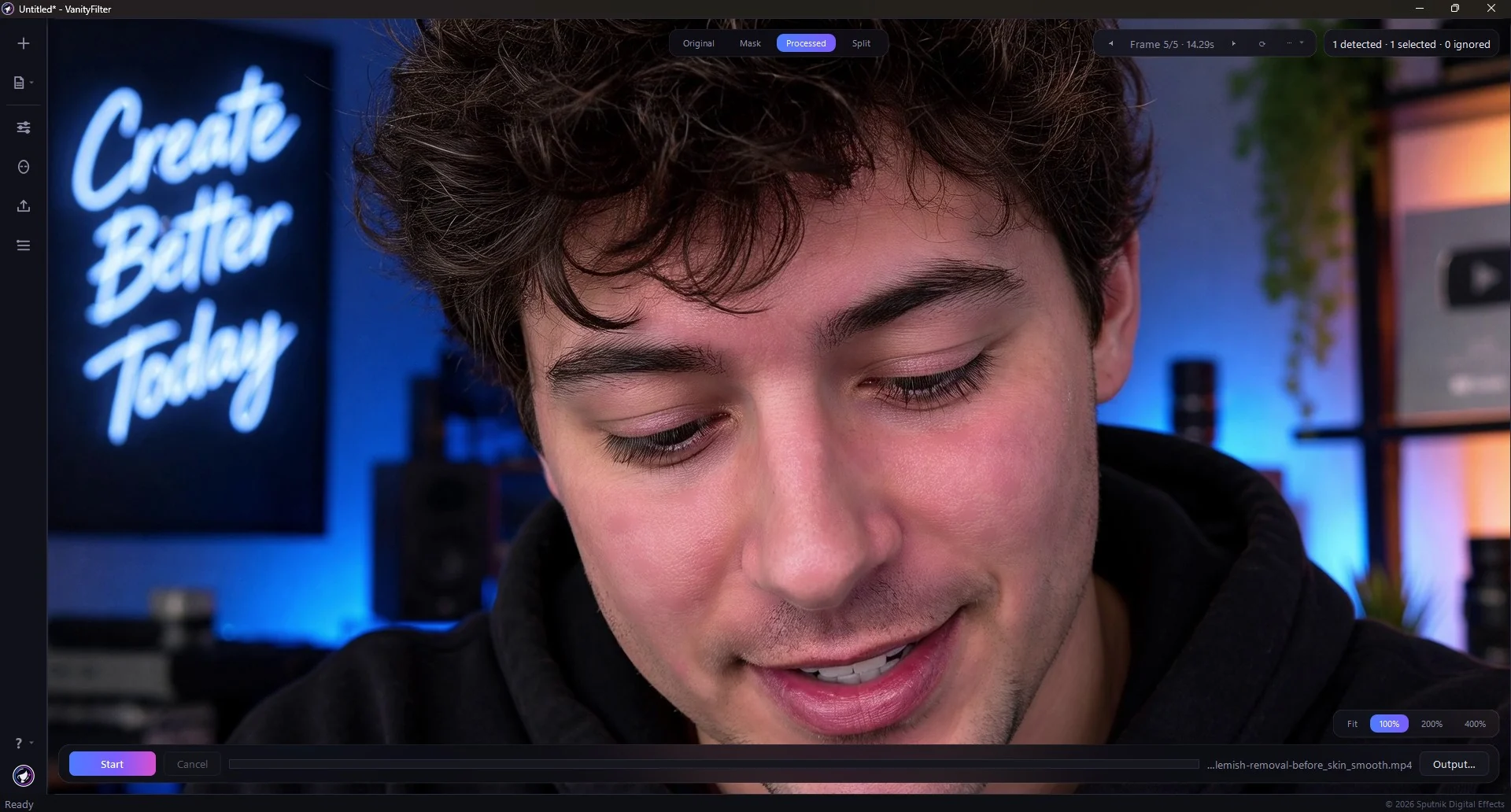
A VanityFilter 3.1.5 capture, same frame, Original against Processed. Watch the hair, the lashes and the lit room behind: the mask stops at skin.
The legal options at a glance
| Option | What you get | Cost to try | Cost after | Watch for |
|---|---|---|---|---|
| VanityFilter (ours) | Skin smoothing for recorded video on Windows and Apple Silicon Mac, up to five faces per frame | $9.95 for a 14-day demo license with every feature and clean exports | $29.95 once on sale, regularly $49 | Video files only. No photos, and not free. |
| Photoshop free trial | The full desktop app with the Skin Smoothing neural filter, plus Photoshop on the web and mobile | Free for 7 days, with billing details at sign-up | US$22.99 a month for Photoshop on an annual plan billed monthly | It becomes a paid plan unless you cancel. One trial per person. |
| Photoshop on iPhone, iPad and Android | Free mobile apps | Free | Premium features need a subscription | Adobe documents the Skin Smoothing filter for Photoshop on desktop |
| Portraiture trial | AI skin retouching plugin for Photoshop, Lightroom Classic and Affinity | Free for 15 days, no watermarks | $249.95 once for Photoshop | A plugin, so it needs a host app |
| Free photo editors | GIMP, Photopea and phone apps | Free | Free | You build the smoothing by hand, or with one slider on a phone |
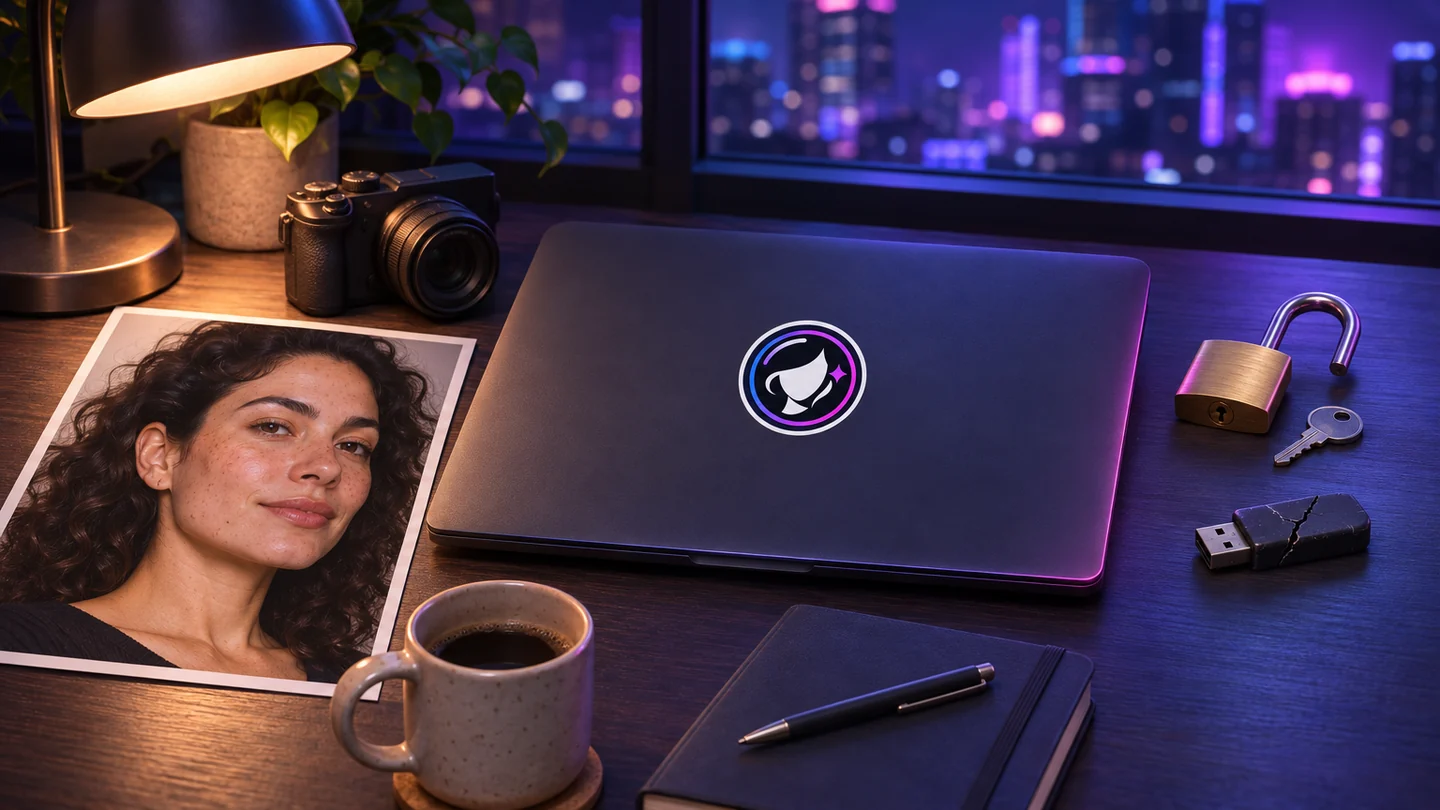
The Photoshop free trial, without the surprise bill
Adobe’s free trial page says the trial is the full version of Photoshop, with every feature and update. That includes the Skin Smoothing neural filter, so for a week you can retouch portraits exactly as a paying subscriber would. The trial covers Photoshop on desktop, the web, iPhone and iPad.
You sign in with an Adobe account and enter payment details at the start, and the trial turns into a paid Creative Cloud membership after 7 days unless you cancel. The Photoshop plan is listed at US$22.99 a month on an annual plan billed monthly. To cancel, open your Adobe account page, find the plan, choose Manage Plans and then Cancel Plan. Adobe also gives you 14 more days after billing starts to cancel for a full refund. It allows one free trial per person, so pick a week when you actually have portraits to retouch.
Where the filter lives once it is installed
You do not download skin smoothing separately. Adobe’s Skin Smoothing help puts it under Filter > Neural Filters. If a cloud icon shows next to the name, click it to download the filter inside Photoshop. The filter needs an internet connection only for that first download. It has Blur and Smoothing sliders, and Adobe says it works best on forward-facing portraits with clear facial features. It may give unexpected results on body skin, skin behind glasses or faces at extreme angles, where Adobe suggests the Healing Brush or Spot Healing Brush instead. Our Photoshop skin smoothing guide walks through the filter, frequency separation and the healing brushes in more detail.
The free mobile apps
Adobe also lists Photoshop on iPhone, iPad and Android as free apps, with premium features that need a subscription. That is the one way to use Photoshop with no trial clock at all. Adobe’s Skin Smoothing help is written for Photoshop on desktop, so check the app itself before you count on that filter.
Portraiture: 15 days with no watermark
Imagenomic’s Portraiture is the plugin many portrait retouchers add to Photoshop, Lightroom Classic and Affinity. Its trial instructions ask for your email, send a download link with a passkey, and unlock 15 days of full functionality with no watermarks or limitations once you activate it. Activating Portraiture also activates Noiseware and Realgrain. After the trial, Imagenomic’s pricing lists Portraiture for Photoshop at $249.95, paid once.
Why a cracked plugin is not a free download
Search for a free download of Photoshop skin smoothing software and you will find sites offering cracked copies of Photoshop and of paid plugins. We do not link to them, and you should not install them.
- They put your computer at risk. Adobe’s genuine software page warns that unlicensed apps can cause missed deadlines, files that will not sync and damage to your device, and that only official apps get its security updates and malware protection. A cracked installer has been changed by someone you cannot identify, and you would be running it on the same computer as your client files and saved passwords.
- They put your work at risk. A cracked copy breaks the vendor’s license, which matters when a client is paying you, and it leaves you without updates or support when something goes wrong on a deadline. The vendor’s trial gives you the current version for free.
To stay safe, download from the vendor’s own domain, such as adobe.com or imagenomic.com, and on Windows check that the installer names the publisher you expect. Our own SmartScreen guide shows how to read that publisher line, using the VanityFilter installer as the example.
When the face is in a video
The Photoshop filter and the photo version of Portraiture work on one still at a time. Imagenomic does sell a separate Portraiture Video plugin for Premiere Pro, After Effects, DaVinci Resolve and Final Cut Pro, so it needs one of those editors. A minute of 30 fps video is 1,800 frames of the same face, turning and talking, and a still-photo filter has no way to follow it as it moves. The Photoshop guide linked above covers what happens when you try it on a video layer.
VanityFilter is made for that job. You open a recorded clip, and it builds a skin mask for each face, up to five per frame, across the face, forehead and neck. It keeps the mask steady from frame to frame and leaves eyes, lips, hair and clothing as shot. Pick a preset such as Light touch or Standard, then tune Strength, Texture repair and Detail restore. Press Play processed to watch about 3 seconds exactly as they will export, then export H.264 MP4 or ProRes 422 HQ, with an optional grayscale mask matte for your editor. The video is processed on your computer; activation and license checks use the internet but send no video. The features page lists every control, and See it work has real processed clips.
VanityFilter has no free version. The $9.95 14-day demo license is the paid way to test it, with every feature and clean exports, and the full license is $29.95 once on sale. It does not retouch photos or live video, and it is not a plugin, so changing the look means processing the source clip again.
Which one to use
- For a batch of portraits this week, start the Photoshop 7-day trial, use the Skin Smoothing filter, and set a reminder to cancel if you do not want the subscription.
- If you already pay for Photoshop and want a dedicated retouching plugin, run the Portraiture 15-day trial on your own portraits before spending $249.95.
- For skin in recorded video, use VanityFilter. Start with the $9.95 14-day demo license and run your hardest close-up through it.
- For free tools with no trial at all, see our free photo skin smoothing guide. For free and cheap video options, see skin smoothing software free download.
Frequently asked questions
Can I download Photoshop skin smoothing for free?
For seven days, yes. Adobe’s free trial is the full version of Photoshop, so it includes the Skin Smoothing neural filter, and it turns into a paid plan unless you cancel. Adobe also offers Photoshop on iPhone, iPad and Android as free apps, with premium features behind a subscription. If the face you want to smooth is in a video, our recommendation is VanityFilter, our own app for recorded video on Windows and Apple Silicon Macs.
Is the Skin Smoothing filter a separate download?
No. Skin Smoothing is one of the Neural Filters built into Photoshop on desktop. If a cloud icon shows next to it under Filter > Neural Filters, you download it from inside Photoshop, and Adobe says it needs an internet connection only for that first download. A website offering it as a standalone file is not Adobe.
Is it safe to download a cracked skin smoothing plugin?
No. Adobe warns that unlicensed apps can damage your device, and it lists security updates and malware protection as things only official apps get. A cracked installer has been changed by someone you cannot identify, and you would be running it on the computer that holds your files. Use the vendor’s own free trial instead.
Does Portraiture have a free trial?
Yes. Imagenomic’s trial gives 15 days of full functionality with no watermarks once you activate it, and it covers Noiseware and Realgrain as well. After that, Portraiture for Photoshop is listed at $249.95, paid once.
Is there a free version of VanityFilter?
No. The cheapest way to try it is the $9.95 14-day demo license, which has every feature and clean exports. The full license is $49, currently on sale for $29.95, paid once with no subscription. VanityFilter smooths skin in recorded video, not photos.
VanityFilter runs on 64-bit Windows 10 version 1809 or later, Windows 11 and Apple Silicon Macs on macOS 14 or later. The download page has the details. Get the $9.95 14-day demo and try it on a clip of your own.